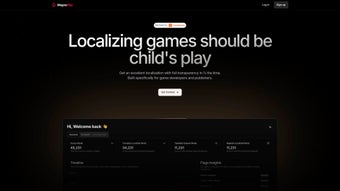

Download MagnaPlay – AI‑Powered Game Localization Tool for Secure, Fast, Multi‑Platform Translation
Introduction: Why Modern Game Studios Need an AI Localization Solution
In today’s hyper‑connected gaming market, reaching players in multiple languages is no longer optional—it’s a competitive necessity. Yet the traditional localization workflow, which relies on manual entry, spreadsheet management, and endless rounds of review, can stall release schedules and inflate budgets. MagnaPlay addresses these pain points by marrying state‑of‑the‑art artificial intelligence with a cloud‑first architecture that fits seamlessly into any development pipeline.
Whether you’re an indie studio releasing a first‑person shooter on Steam or a AAA publisher rolling out a massive open‑world RPG across consoles, mobile devices, and PC, MagnaPlay offers a secure, scalable, and cost‑effective way to translate and localize your game content. The platform’s real‑time flagging, translation memory, and contextual assets dramatically reduce the time developers spend on repetitive tasks, allowing them to focus on core gameplay and design. This introduction sets the stage for a deeper dive into the platform’s capabilities, installation steps, system requirements, and the pros and cons you should weigh before committing to a download.
Overview: What MagnaPlay Brings to the Table
MagnaPlay is a web‑based localization suite built on deep‑learning models that have been trained specifically on gaming terminology, narrative structures, and UI conventions. The platform processes source strings in real time, delivering AI‑generated translations that respect context, tone, and character limits. A robust flagging engine scans each entry for missing placeholders, inconsistent terminology, and cultural mismatches, alerting translators before they commit errors that could cause runtime crashes or break immersion.
Integrated translation memory stores every approved string, ensuring that recurring phrases remain consistent across patches, DLCs, and sequels. Glossary management lets teams define brand‑specific terms—such as character names, in‑game items, or fictional locations—once and reuse them across all languages. The dashboard provides project managers with a bird’s‑eye view of progress, task assignments, and bottlenecks, while reviewers can approve or reject translations with a single click.
Security is baked in: all data is encrypted at rest and in transit, and role‑based access controls limit visibility to authorized personnel only. For teams that need deeper integration, MagnaPlay offers plugins for Unity, Unreal Engine, and Godot, as well as CI/CD hooks that push localized assets directly to version control systems. The free tier supports up to 10,000 strings, making it an attractive entry point for small projects, while premium plans unlock unlimited storage, API access, and priority support.
In essence, MagnaPlay transforms localization from a bottleneck into a streamlined, collaborative process that accelerates time‑to‑market.
Key Features That Set MagnaPlay Apart
- AI‑Driven Translation Engine: Deep‑learning models trained on over 200 million gaming phrases produce natural, context‑aware translations that respect character limits and cultural nuances.
- Real‑Time Flagging System: Instantly highlights missing placeholders, mismatched variables, and inconsistent terminology, reducing post‑release bugs.
- Translation Memory & Glossary: Stores approved strings and term definitions, guaranteeing consistency across updates, patches, and expansions.
- Dynamic String Repository: Centralized database that supports version control, batch editing, and unlimited string imports in JSON, XML, CSV, RESX, and other common formats.
- Instant Review & Integration: Enables developers to preview localized content within the editor and push changes directly to CI/CD pipelines.
- Contextual Screenshots & Audio: Visual and audio cues accompany each string, minimizing misinterpretation of in‑game dialogue or UI prompts.
- Secure Cloud Architecture: AES‑256 encryption at rest, TLS 1.3 in transit, GDPR and ISO 27001 compliance, and granular role‑based permissions.
- Multi‑Platform Support: Runs on any modern browser across Windows, macOS, Linux, Android, and iOS, with optional desktop plugins for Unity, Unreal, and Godot.
- Customizable Workflows: Define approval stages, assign roles (Translator, Reviewer, Project Manager), and automate notifications via email, Slack, or Microsoft Teams.
- Scalable Pricing Model: Free tier for up to 10,000 strings; premium plans add unlimited strings, API access, priority support, and custom AI model training.
Each of these features has been designed with game developers in mind, addressing common pain points such as inconsistent terminology, time‑consuming manual entry, and the need for secure collaboration across distributed teams. By leveraging AI while maintaining human oversight, MagnaPlay strikes a balance between efficiency and quality, ensuring that players worldwide receive a polished, culturally resonant experience.
Installation & Usage Guide – From First Click to Live Localization
Step 1: Create Your Account and Set Up Your Team
Navigate to Magnaplay.com and click the “Get Started” button. The registration flow requires only an email address, a secure password, and a verification step. Once your account is active, you can invite teammates by entering their email addresses; each invite includes role selection (Translator, Reviewer, Project Manager) so that permissions are assigned automatically.
Step 2: Launch a New Localization Project
After logging in, select “New Project” from the dashboard. Provide the game’s title, the source language, and the target languages you wish to support. MagnaPlay’s AI suggests popular language pairs based on market data, but you can manually add any locale. Upload your string files using the drag‑and‑drop interface; supported formats include JSON, XML, CSV, RESX, PO, and XLIFF. The platform parses the files, extracts keys, and populates the Dynamic String Repository with a visual hierarchy that mirrors your project’s folder structure.
Step 3: Configure Glossary and Translation Memory
To ensure brand consistency, import an existing glossary or create new terms directly in the “Glossary” tab. Each term can have multiple translations, usage notes, and context screenshots. The translation memory learns from every approved string, gradually improving AI suggestions for future projects. This iterative learning loop reduces repetitive editing over time.
Step 4: Translate, Review, and Flag
Translators work in the “Translate” view, where each string appears alongside any associated screenshots or audio clips you uploaded. The AI presents a first‑pass translation; translators can accept, edit, or reject it. The real‑time flagging system highlights placeholder mismatches (e.g., %s, {playerName}) and cultural inconsistencies, allowing instant correction. Reviewers then move to the “Review” panel, where they can approve translations, request changes, or add comments. All actions are logged for audit purposes, satisfying compliance requirements for regulated markets.
Step 5: Export, Integrate, and Test
When the localization cycle is complete, click “Export” and choose the desired format—Unity .txt, Unreal .po, CSV, or custom JSON. MagnaPlay also provides a CI/CD plugin that automatically pushes the exported assets to your Git, Perforce, or SVN repository, enabling continuous localization without manual file handling. Finally, run an in‑engine test on each platform (Windows, macOS, Android, iOS) to verify that all strings display correctly and that no placeholder errors remain. Throughout the workflow, real‑time notifications keep the team synchronized via email, Slack, or Microsoft Teams.
Because MagnaPlay is browser‑based, there is no client software to install on end‑user machines, making the experience truly “download‑free” for translators while still delivering the power of a full‑featured localization suite.
Compatibility, Pros & Cons, and Frequently Asked Questions
MagnaPlay operates entirely in the cloud, meaning it works on any device with a modern browser—Chrome, Firefox, Edge, or Safari—running on Windows 10/11, macOS Ventura, popular Linux distributions, or mobile operating systems such as Android 9+ and iOS 13+. For developers who prefer tighter editor integration, optional plugins are available for Unity, Unreal Engine, and Godot, allowing direct import/export without leaving the development environment.
Pros
- AI‑driven translations cut manual effort and accelerate time‑to‑market.
- Real‑time flagging catches placeholder and contextual errors early.
- Secure cloud storage meets GDPR, ISO 27001, and industry‑standard encryption.
- Supports a wide range of file formats and integrates with major game engines.
- Generous free tier makes it accessible to indie developers.
- Cross‑platform accessibility—no separate downloads for Windows, macOS, or mobile.
- Robust glossary and translation memory ensure linguistic consistency.
- CI/CD integration automates asset deployment, reducing deployment friction.
- Customizable workflows with role‑based permissions and automated notifications.
- Scalable pricing lets you start free and grow with your project.
Cons
- Requires a stable internet connection; offline work is limited to exported files.
- Advanced AI customization (e.g., custom language models) is restricted to higher‑tier plans.
- Teams new to AI‑assisted translation may need a short learning period.
- Very large projects can outgrow the free tier quickly, necessitating a paid upgrade.
- Some users experience latency when handling repositories exceeding one million strings.
Frequently Asked Questions
-
Is MagnaPlay really free to use?
Yes. The free tier supports up to 10,000 strings and includes core AI translation, real‑time flagging, basic glossary management, and standard export formats. Premium plans add unlimited strings, API access, custom AI models, and priority support.
-
Can I use MagnaPlay for mobile game localization?
Absolutely. Because the platform runs in a browser, you can access it from Android or iOS devices. Export formats such as Unity .txt or Unreal .po are fully compatible with mobile game engines, enabling seamless integration into iOS and Android builds.
-
How secure is my data on MagnaPlay?
Data is encrypted both at rest (AES‑256) and in transit (TLS 1.3). MagnaPlay complies with GDPR, ISO 27001, and offers role‑based access controls, ensuring that only authorized team members can view or edit translations.
-
Does MagnaPlay integrate with version control systems?
Yes. Native plugins are available for Git, Perforce, and SVN. You can configure automatic pushes of localized assets after each review cycle, keeping your repository up‑to‑date without manual intervention.
-
What languages are supported out of the box?
MagnaPlay supports over 120 languages, including English, Japanese, Korean, Chinese (Simplified & Traditional), German, French, Spanish, Russian, Arabic, and many others. Premium tiers allow custom language packs and domain‑specific model training.
Conclusion – Ready to Streamline Your Game Localization?
MagnaPlay brings together AI precision, real‑time collaboration, and enterprise‑grade security to turn localization from a bottleneck into a competitive advantage. By automating repetitive translation tasks, flagging potential errors before they reach players, and providing seamless integration with popular game engines and CI/CD pipelines, the platform lets studios focus on delivering unforgettable gameplay experiences across the globe. Whether you’re targeting Windows, macOS, Android, iOS, or console platforms, MagnaPlay’s cross‑platform accessibility ensures every player receives a polished, culturally resonant version of your game.
Download MagnaPlay today to start a free trial, explore its AI capabilities, and see how it can accelerate your localization pipeline. For larger teams, consider the premium plan to unlock API access, unlimited strings, and priority support. Let MagnaPlay handle the language, so you can focus on the adventure.



.png)



